
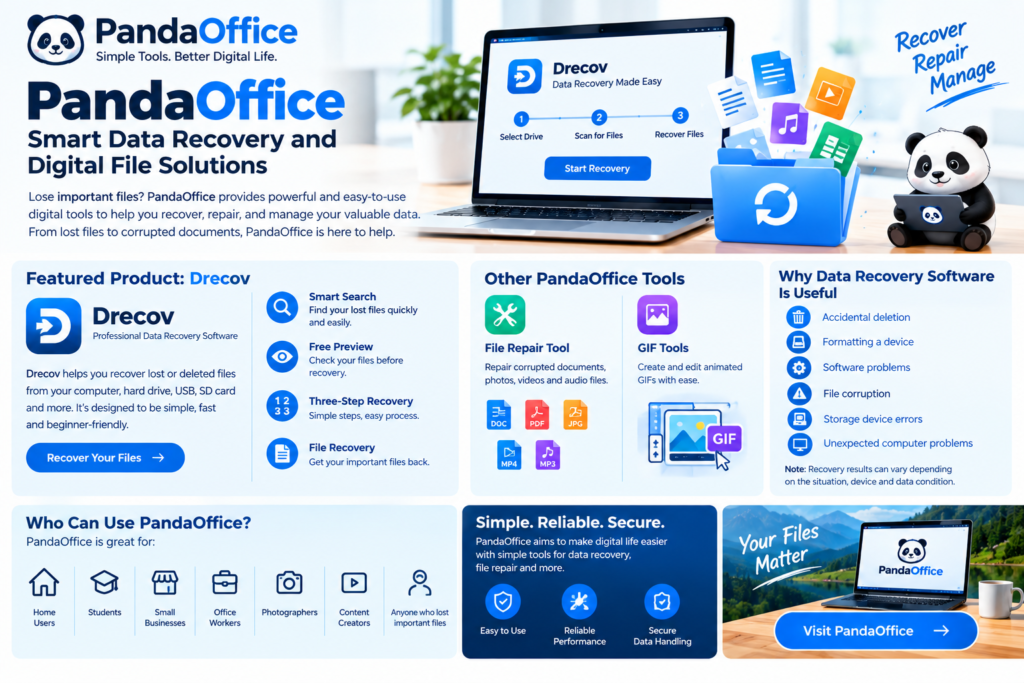
Losing important files can be stressful, especially when the data contains work documents, photos, videos, or other valuable information. PandaOffice provides digital tools designed to help users recover, repair, and manage their important files.
The company’s main data recovery product, Drecov, focuses on recovering lost files through a simple recovery process. PandaOffice says its tools are designed to make digital data recovery easier and more accessible.
What Is PandaOffice?
PandaOffice is a technology company focused on digital tools and data solutions. Its product portfolio includes software for recovering lost data and repairing damaged or corrupted files.
According to PandaOffice, its mission is to provide simple, reliable, and stress-free digital experiences while helping users protect and recover their digital assets.
PandaOffice Drecov
One of the main products associated with PandaOffice is Drecov, a data recovery solution designed to help users retrieve lost files.
The company highlights features such as:
- Smart Search – Helps locate and retrieve lost data.
- Free Preview – Allows users to preview recoverable files before proceeding.
- Three-Step Recovery – Designed to make the recovery process easier.
- File Recovery – Helps users recover important lost files.
These features can be useful for people who accidentally delete files or lose access to important digital information.
File Recovery Made Simple
One of the biggest advantages of a straightforward data recovery tool is ease of use. Users may not have technical knowledge about data recovery, so a simple interface and guided process can make the experience less complicated.
PandaOffice promotes Drecov as a solution that can help users recover lost files through a three-step process.
Other PandaOffice Digital Tools
PandaOffice also highlights other projects and software solutions beyond basic file recovery.
Its portfolio includes a professional file repair tool designed to repair corrupted documents, photos, videos, and audio files. The company also highlights a GIF creation and editing tool for creating and optimizing animated content.
This shows that PandaOffice is focused on several areas of digital file management rather than only data recovery.
Why Data Recovery Software Is Useful
Important files can disappear for many reasons, including:
- Accidental deletion
- Formatting a storage device
- Software problems
- File corruption
- Storage device errors
- Unexpected computer problems
Having a reliable recovery solution can give users another option when important data becomes inaccessible.
However, no recovery software should be considered a guarantee that every lost file can be recovered. Recovery results can depend on the type of problem, storage device, and condition of the data.
Who Can Use PandaOffice?
PandaOffice products may be useful for:
- Home computer users
- Students
- Small businesses
- Office workers
- Photographers
- Content creators
- Users who accidentally deleted important files
- People dealing with corrupted documents or media
The right solution depends on the type of file problem and the user’s specific requirements.
PandaOffice: Simple Digital Solutions
PandaOffice aims to make digital file management and recovery easier through accessible software tools. Its Drecov product focuses on lost-data recovery, while other projects address file repair and digital content creation.
Before using any recovery software, it is important to understand what type of data loss has occurred and choose a solution that supports the relevant storage device and file types.
Final Thoughts
PandaOffice provides digital solutions focused on data recovery, file repair, and other file-management needs. Its Drecov software emphasizes smart search, file preview, and a simple three-step recovery process.
If you are looking for a simple way to investigate lost or inaccessible files, PandaOffice is worth exploring. Always review the latest product features, supported file types, pricing, and system requirements before making a purchase.
Official website: PandaOffice