Introduction
Protecting your computer and personal information online is more important than ever. Viruses, spyware, ransomware, and fake websites can put your files and privacy at risk. Using reliable security software can help you avoid these threats.
Malwarebytes is a cybersecurity tool designed to detect and remove malware while helping protect devices against online threats. It offers free scanning tools and paid plans with additional security features.
In this Malwarebytes review, we will explore its main features, benefits, pricing considerations, advantages, disadvantages, and whether it is worth using in 2026.
What Is Malwarebytes?
Malwarebytes is a cybersecurity company that develops software to help protect computers, smartphones, and other supported devices against malicious software and online threats.
Its products include malware scanning, antivirus protection, web protection, scam blocking, and privacy tools. Some features are available for free, while more advanced protection requires a paid subscription.
You can learn more on the official website: https://www.malwarebytes.com/
Key Features of Malwarebytes
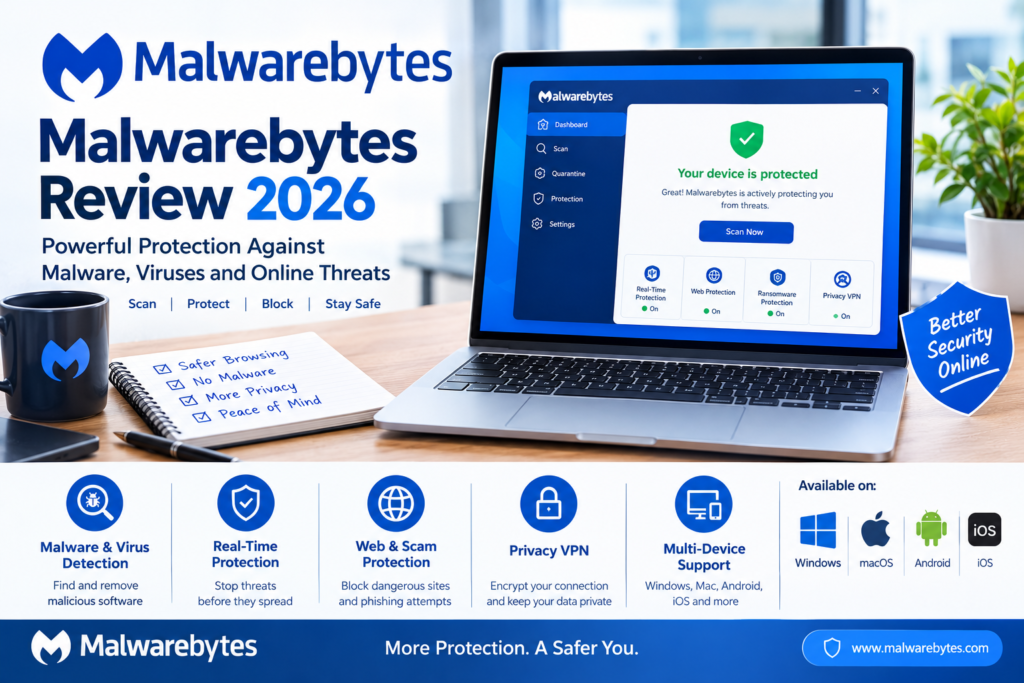
1. Malware and Virus Detection
One of the main features of Malwarebytes is its ability to scan devices for malicious software. It can help identify threats such as viruses, spyware, Trojans, and other unwanted programs.
This feature is useful if your computer behaves unusually or you suspect that a suspicious file has infected your device.
2. Real-Time Protection
Paid Malwarebytes plans include real-time security features that help detect and block threats as they appear.
Instead of waiting until you manually scan your computer, real-time protection works in the background to help prevent infections.
3. Protection Against Ransomware
Ransomware is a type of malicious software that can lock or encrypt your files and demand payment to restore access.
Malwarebytes includes ransomware protection in supported paid products and plans. This can help reduce the risk of damage from ransomware attacks.
However, no security software can guarantee complete protection, so regular backups remain important.
4. Web and Scam Protection
Malwarebytes offers web protection features designed to help users avoid malicious websites, phishing attempts, and online scams.
Its Browser Guard extension also helps block unwanted advertisements, trackers, and harmful web content in supported browsers.
These tools can be particularly useful when shopping online, browsing unfamiliar websites, or opening links received through messages.
5. Protection for Multiple Devices
Malwarebytes offers products for supported Windows, macOS, Android, and iOS devices.
Depending on the plan you choose, you may be able to protect several devices with one subscription. Check the current plan details to confirm which operating systems and features are included.
6. Privacy VPN
Some Malwarebytes subscriptions include a Privacy VPN. A VPN encrypts traffic between your device and the VPN service, helping protect your connection on public Wi-Fi networks.
A VPN can improve connection privacy, but it does not make you completely anonymous online or replace antivirus protection.
Is Malwarebytes Free?
Yes, Malwarebytes offers a free version.
The free product is useful for scanning a device and checking for malware. However, free and paid features differ.
The free version does not provide the same level of ongoing, real-time protection as the paid security plans.
If you only want to check your computer for existing threats, the free scanner may be sufficient. If you want continuous protection against new threats, consider whether a paid plan meets your needs.
You can download the free version from the official website: https://www.malwarebytes.com/mwb-download
Malwarebytes Pricing
Malwarebytes offers different subscription plans for individuals, families, and businesses. The available features and prices depend on the plan, number of devices, and current promotions.
Common plan options include:
- Standard: Device security and antivirus protection.
- Plus: Device protection combined with VPN features.
- Total: Security, VPN, and additional identity protection features in supported regions and plans.
- Family plans: Protection options for multiple devices and family members.
- Business plans: Security solutions for small businesses and professional environments.
Prices can change, and promotional offers may apply only to the first year. Check the official pricing page for the latest cost before subscribing.
Official pricing: https://www.malwarebytes.com/pricing
Advantages of Malwarebytes
Here are some reasons to consider Malwarebytes:
- Malware removal: Helps detect and remove unwanted malicious software.
- Simple interface: Designed to make security tools accessible to everyday users.
- Free scanning: Offers a way to check for existing threats without immediately purchasing a subscription.
- Web protection: Helps block access to dangerous websites and scams through supported features.
- Multiple platforms: Offers security products for several operating systems.
- Additional privacy tools: Selected plans include VPN and other security-related features.
Disadvantages of Malwarebytes
Malwarebytes also has some limitations to consider.
Some features require payment: Real-time protection and other advanced tools are generally included in paid products rather than the free scanner.
Subscription costs: Ongoing protection may require an annual subscription, so compare the total cost with your budget.
Features vary by device: Not every feature is available on Windows, Mac, Android, and iOS.
No perfect protection: Even a good antivirus program cannot prevent every cyberattack. Safe browsing habits, software updates, and backups are still necessary.
Malwarebytes vs. Free Antivirus Software
Is Malwarebytes better than other free antivirus tools? The answer depends on your needs.
Malwarebytes is useful for scanning for malware and offers paid plans with additional protection. Other antivirus products may include real-time protection in their free versions.
Before choosing, compare independent security test results, system performance, ease of use, and the features you need.
If your computer already has an antivirus program with real-time protection, avoid running multiple real-time antivirus products together unless the manufacturers confirm that the combination is supported.
Who Should Use Malwarebytes?
Malwarebytes may be useful for:
- Students: Help protect devices used for study and online research.
- Freelancers: Reduce exposure to malicious downloads and suspicious websites.
- Digital marketers: Add security when managing websites, online accounts, and business tools.
- Small business owners: Help protect supported work devices and sensitive files.
- Everyday users: Scan for malware and explore additional online security features.
The best option depends on your operating system, security requirements, and budget.
How to Get Started With Malwarebytes
Getting started is straightforward.
- Visit the official Malwarebytes website.
- Choose the product that matches your device.
- Download the installer from the official website.
- Follow the installation instructions.
- Run a scan and review the results.
- Check your settings and enable the security features available with your version or subscription.
Always download security software from its official website to reduce the risk of installing a fake or modified application.
Final Verdict: Is Malwarebytes Worth It?
Malwarebytes is worth considering if you want a tool to scan for malware or add another layer of protection to your digital life. Its free scanner can help identify existing threats, while paid subscriptions offer additional features such as real-time protection, web security, and VPN services in supported plans.
However, the free version and paid products serve different purposes. Before buying, compare the features, device compatibility, and total subscription cost.
Overall, Malwarebytes is a useful cybersecurity option for people who want to detect malware and improve their online protection. Choose the version that fits your needs, keep your software updated, and practise safe browsing habits.
Visit the official website to explore the available products: https://www.malwarebytes.com/