PC gaming is more than simply installing a game and playing. The right tools can help you improve performance, communicate with teammates, record gameplay, monitor your PC, and reduce connection problems.
In this guide, we look at some of the best gaming tools for PC gamers and explain what each tool can do.
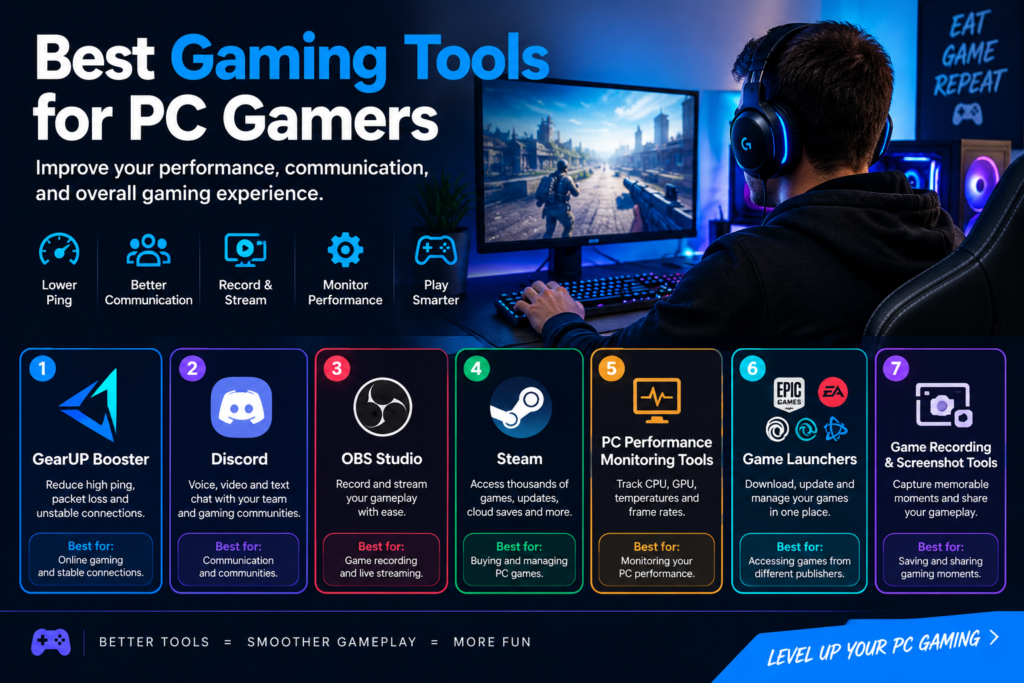
1. GearUP Booster
For online gamers, a stable internet connection is extremely important. GearUP Booster is designed to help gamers deal with problems such as high ping, packet loss, jitter, and unstable connections.
It can be useful for players who regularly play competitive multiplayer games or connect to servers in different regions.
Best for: Reducing connection-related gaming problems.
2. Discord
Discord is one of the most popular communication platforms for gamers. It allows players to communicate through voice, video, and text while playing games.
You can create or join gaming communities, communicate with teammates, and share information without leaving your gaming setup.
Best for: Voice chat and gaming communities.
3. OBS Studio
OBS Studio is a popular free tool for recording and live streaming gameplay. It allows gamers to capture their screen, microphone, webcam, and other sources.
It is particularly useful for gamers who want to create content for YouTube, Twitch, or other platforms.
Best for: Game recording and live streaming.
4. Steam
Steam is one of the largest PC gaming platforms. Besides providing access to thousands of games, it includes features such as cloud saves, automatic updates, achievements, community discussions, and game reviews.
Steam is a useful tool for organizing and managing a PC game library.
Best for: Buying, downloading, and managing PC games.
5. PC Performance Monitoring Tools
Monitoring your PC can help you understand how your hardware performs while gaming. Tools that display CPU usage, GPU usage, temperatures, memory usage, and frame rates can help identify performance problems.
If a game suddenly becomes slow, monitoring these factors can help you determine whether the issue is related to your hardware.
Best for: Monitoring PC performance.
6. Game Launchers
Many major game publishers have their own launchers. Depending on the games you play, you may use platforms such as Epic Games Store, EA app, Ubisoft Connect, or Battle.net.
These launchers can provide game downloads, updates, cloud saves, and access to publisher-specific games.
Best for: Managing games from different publishers.
7. Game Recording and Screenshot Tools
Capturing gameplay can be useful for creating content, saving memorable moments, or sharing achievements with friends.
Windows and many gaming platforms include built-in screenshot and recording features, while dedicated software can provide additional controls.
Best for: Saving and sharing gaming moments.
How to Choose the Best Gaming Tools for PC Gamers
The best tools depend on the type of gamer you are.
- Competitive gamers: Focus on connection stability, low latency, and performance monitoring.
- Content creators: Look for recording, streaming, editing, and microphone tools.
- Casual gamers: Game launchers and communication apps may be enough.
- Multiplayer gamers: Communication and network tools can make a major difference.
- PC enthusiasts: Hardware monitoring tools can help track temperatures and performance.
Why Gaming Tools Matter
The right software can make your gaming experience more convenient and enjoyable. A communication tool can help you coordinate with teammates, a recording tool can help you create content, and a network optimization tool can help address connection problems.
However, software cannot fix every problem. If your PC has outdated hardware, a weak internet connection, or a problem with your internet service provider, you may need to address the underlying issue as well.
Final Thoughts
The best gaming tools for PC gamers depend on what you want to achieve. Whether you want smoother online gameplay, better communication, professional-quality streams, or improved PC monitoring, there are tools available for almost every type of gamer.
Start with the tools that solve your biggest problem and add others as your gaming needs grow. This approach can help you build a better and more efficient PC gaming setup without installing unnecessary software.